Receipt Scanner - Scan Pro Receipts
Capture once. Build office-ready reports in seconds.
Built for reporting-first workflows, Scan Pro Receipts uses OCR and purpose-built field logic (not AI), stays ad-free, and lets you capture, review, and organize receipts even without internet or mobile data.
2-Month Free TrialTry the full app before paying.
$29.99 Lifetime FeeOne-time payment, no monthly subscription.
Offline + Ad-Free OCRNon-AI processing works without internet or mobile data, without ad clutter.
Everything Scan Pro Receipts helps you manage
From scanning and OCR-assisted entry to filing, conversion, and advanced reporting controls, Scan Pro Receipts is built to support a complete receipt workflow from capture to office-ready exports.
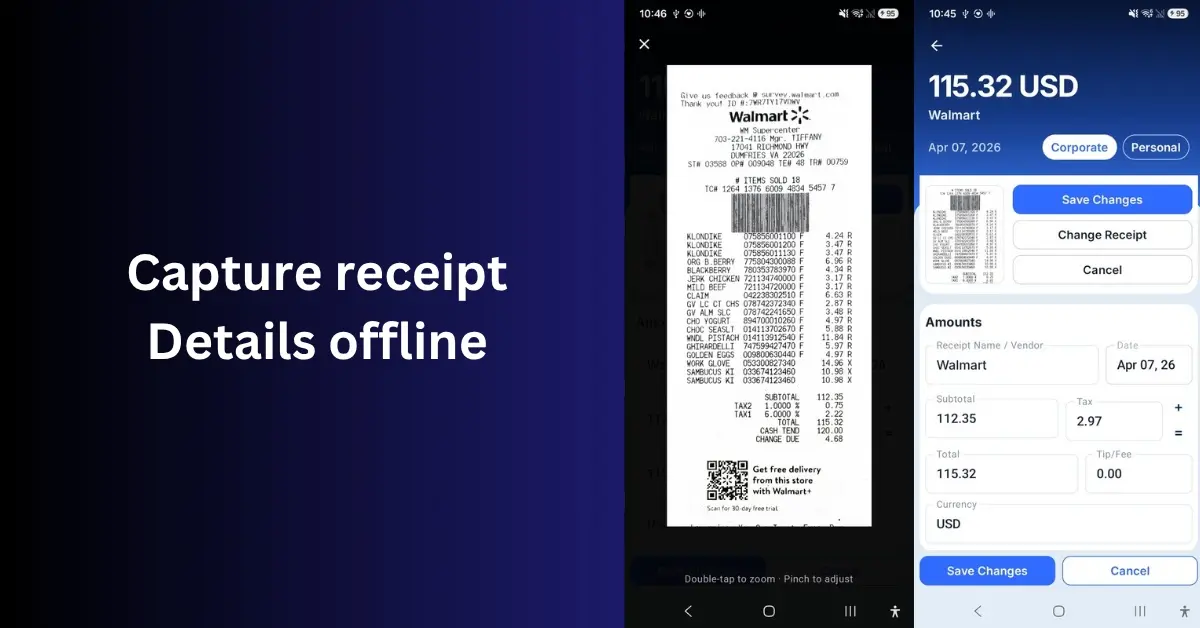
Smart Capture
Scan with camera or import from gallery and files, then review OCR-filled details before saving.
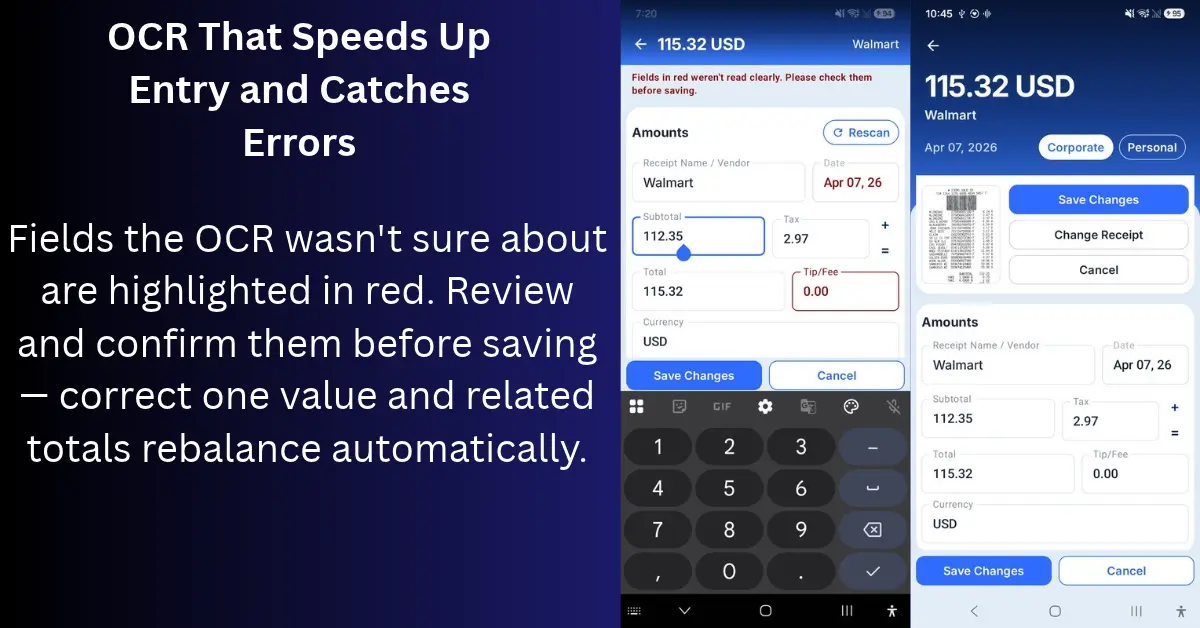
OCR That Speeds Up Entry
Low-confidence fields show in red so you confirm only what matters. Fix one value and related totals rebalance automatically.
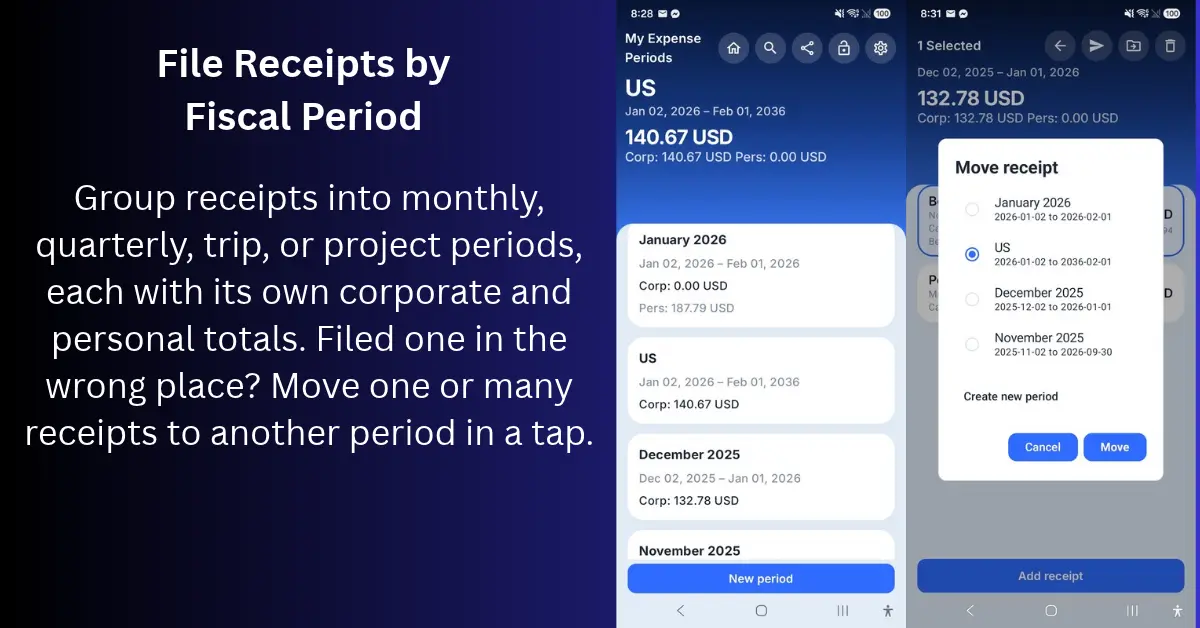
Fiscal Period Filing
Group receipts into monthly, quarterly, trip, or project periods, each with corporate and personal totals. Move one or many receipts between periods in a tap.
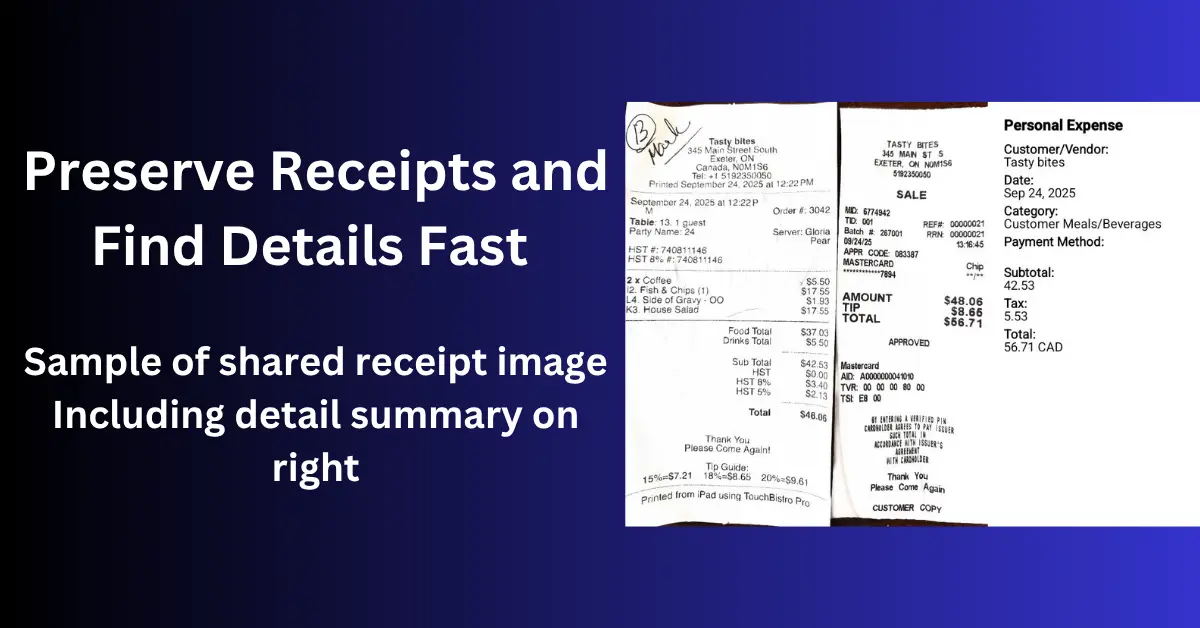
Preserve Receipts
Keep a clear digital copy before thermal paper fades. Proof of purchase for warranties, returns, personal taxes, and household records.
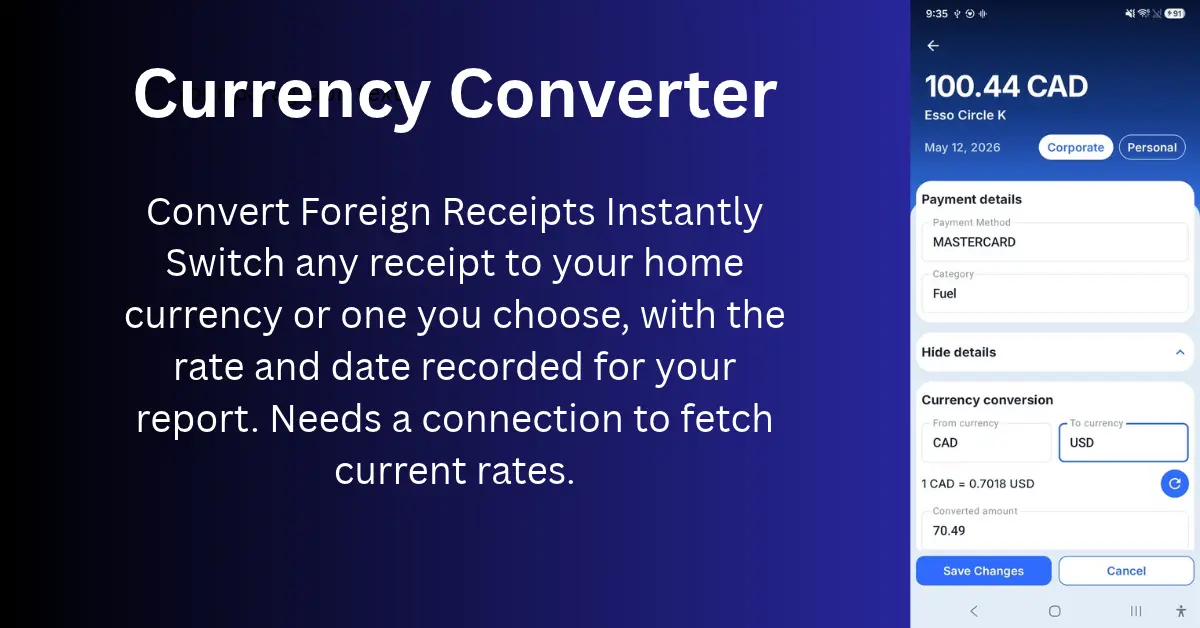
Currency Conversion
Convert foreign receipts to your home currency, or any currency you choose, with the rate and date saved for your report. A connection is needed only to fetch current rates.
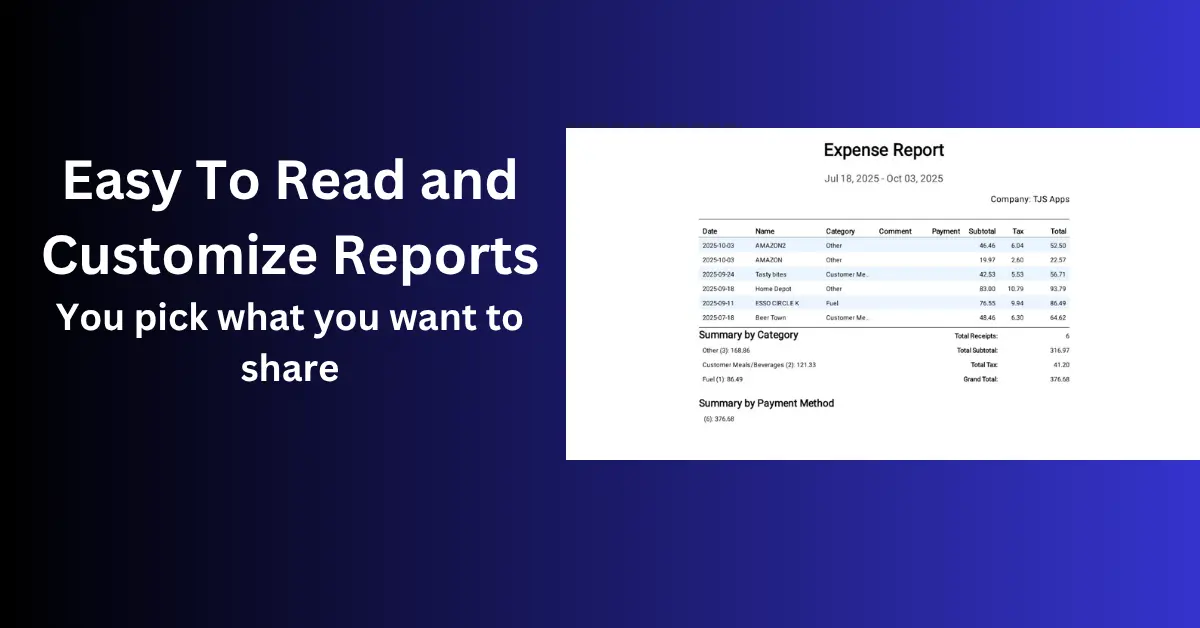
Reporting & Exports
Generate PDF, CSV, and image-based exports, then choose the format that fits your workflow.
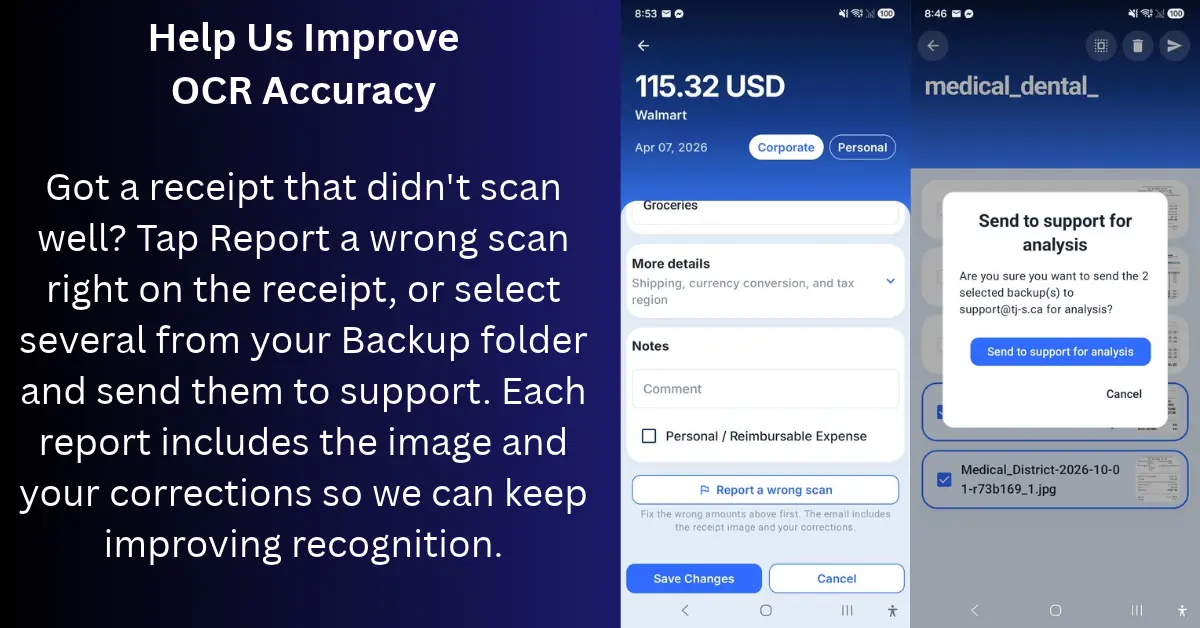
Help Us Improve OCR
Tap Report a wrong scan on any receipt, or send several at once from Backup. Each report includes the image and your corrections, and is sent only when you choose.
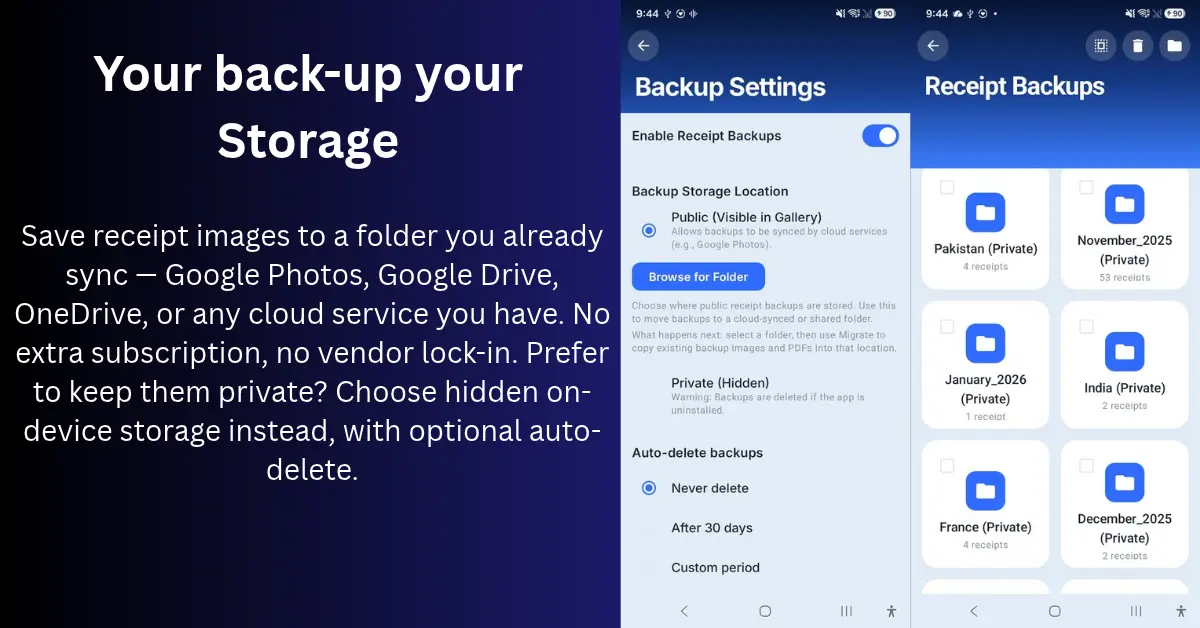
Backup & Storage Control
Back up to your own synced folder or keep receipts private on-device. Backups are organized by period, with no extra cloud subscription needed.
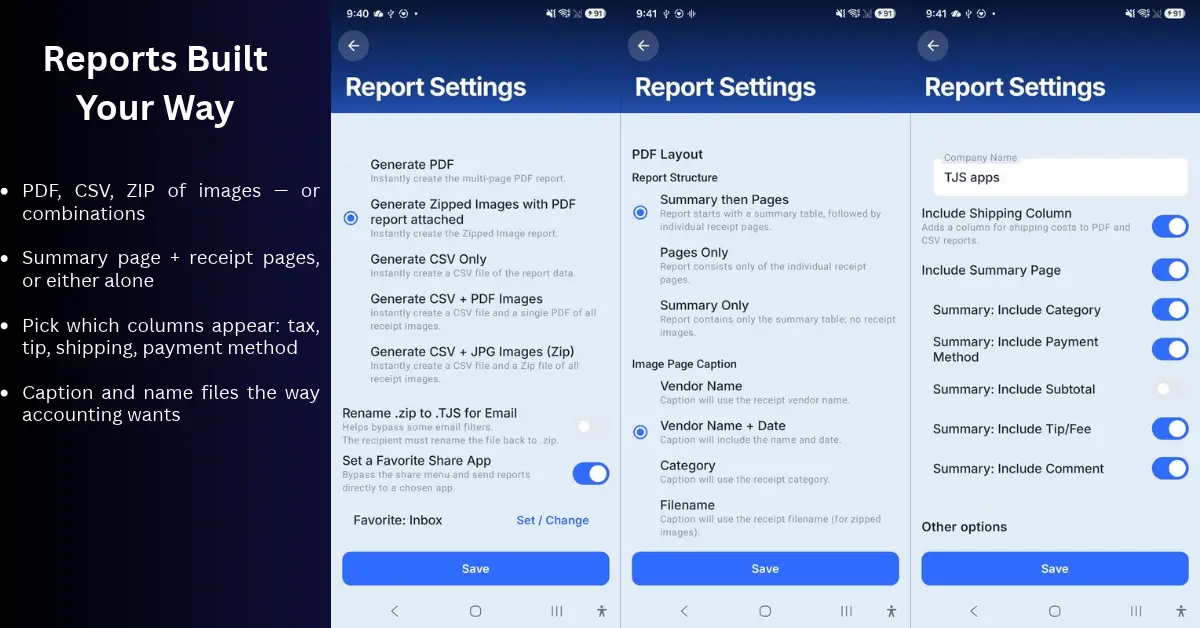
Reports Built Your Way
Choose the format, structure, and columns for every report: PDF, CSV, or zipped images, with captions and filenames that match how your office files them.
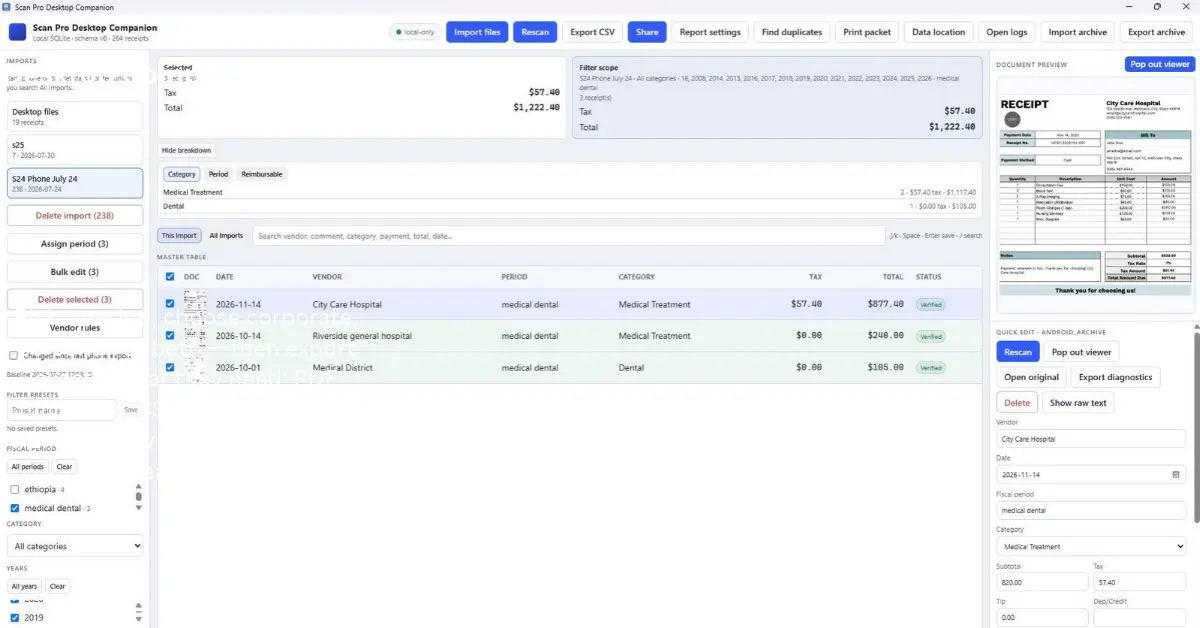
Free Windows Desktop Companion
Import your phone archive to a bigger screen for search, filtering, batch edits, duplicate review, category totals, and printing.
Reporting is where Scan Pro Receipts stands out
Drill into export modes, structure controls, and delivery settings so every report matches your workflow. Combined with a 2-month free trial, a one-time $29.99 lifetime fee, and offline-ready OCR logic, Scan Pro Receipts delivers long-term value without monthly costs.
Receipt Details, Fiscal Periods, Backup and Restore
Receipt Details helps you capture and verify entries, Fiscal Periods keeps records organized by date range, and Backup and Restore keeps per-period backup folders you control, exports everything to a single file, and brings it all back on a new phone.
How it works
-
01
Capture
Use your phone camera, gallery, or files to add receipts and review OCR details quickly.
-
02
Organize
Manage fiscal periods and move one or multiple receipts from one period to another when records need cleanup.
-
03
Export
Customize and send reports your way, while backing up receipts to public or private storage and even your own cloud-synced folders.
Guides & deep dives
Topic-focused overviews and matching articles on the Learn hub — lifetime pricing, offline reports, and territory sales expense workflows.
Product overviews
Lifetime receipt app
One-time fee vs subscription — capture, organize, and export without a monthly bill.
Offline scanner & reports
On-device OCR, fiscal periods, and PDF/CSV exports for tax-ready handoffs.
Territory sales expenses
Field sales workflow — corporate vs reimbursement exports accounting can use.
Learn articles
Why I built Scan Pro
Origin story — fiscal periods, OCR review, and exports finance teams use.
Lifetime vs subscription
Compare pricing models before you commit to another monthly receipt app.
Offline scanner for reports
Capture, review, organize, and export without cloud-only lock-in.
Archive paper receipts
Stop faded slips and lost records with a simple digital backup workflow.
Why lifetime pays off
How one-time pricing cuts subscription fatigue for receipt management.
Track vehicle costs
Fuel, service, and expense records for company-car and freelance drivers.
Faster expense reports
Cut month-end receipt piles with OCR, review, and one-button exports.
Records that hold up
Build digital expense records bookkeeping and reimbursement can trust.
Own your receipt workflow end-to-end.
From advanced reporting to fiscal period control and flexible backup storage, Scan Pro Receipts gives you more than just OCR.